The company's real name and other identifying information have been changed for legal reasons.

Real user review on a public complaints platform
Real user review on a public complaints platform
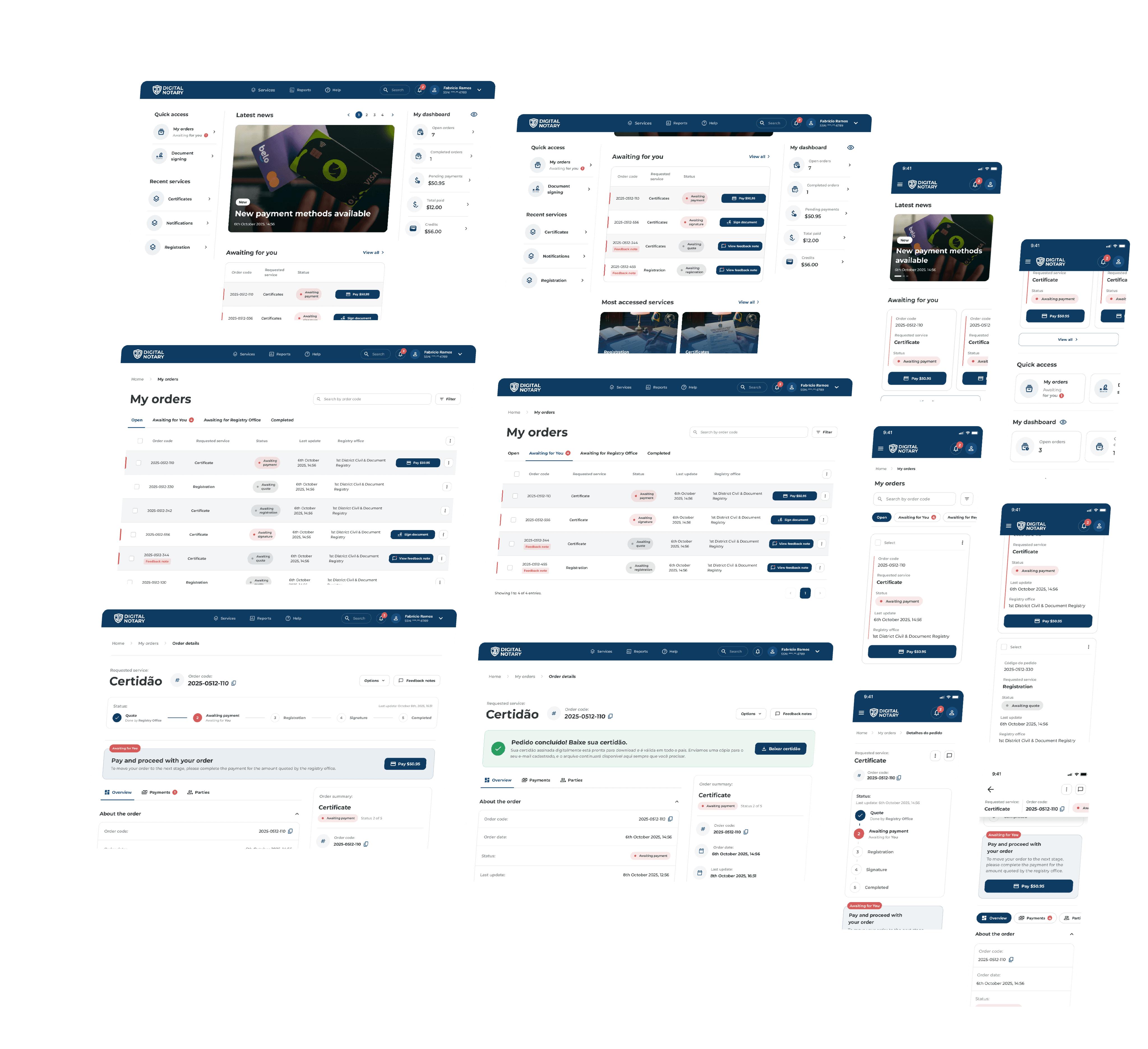
Although vibrant colors were used to emphasize key elements, usability tests revealed that the interface caused significant cognitive overload. Users reported a sense of excessive urgency, where each element competed for equal importance. Furthermore, important access points (such as "My Orders") lacked visual hierarchy, becoming indistinguishable from less important actions. Consequently, this lack of differentiation led to confusion during decision-making, hindering the navigation flow.

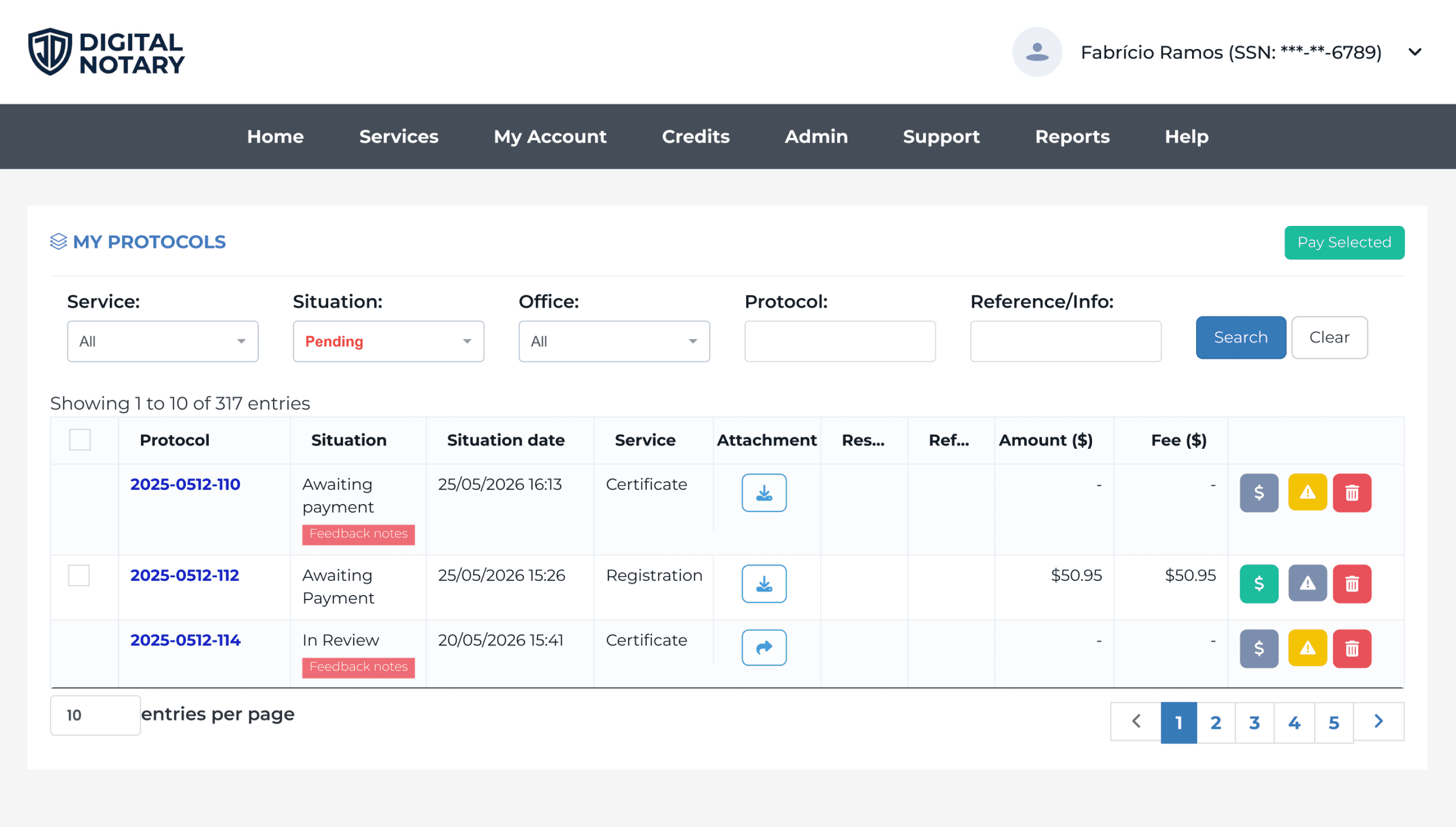
On the listing screen, we identified a taxonomy inconsistency, as the 'My Protocols' title differed from the shortcut used on the Home page. Additionally, usability testing revealed that the data organization within the table was confusing. There was insufficient visual contrast between the active and inactive states of the payment buttons, along with flow ambiguity regarding the checkout process: users were unsure whether to pay using the bulk-selection button at the top or the individual button within the row. This lack of clarity increased reading and interaction time, hindering both order identification and payment execution.
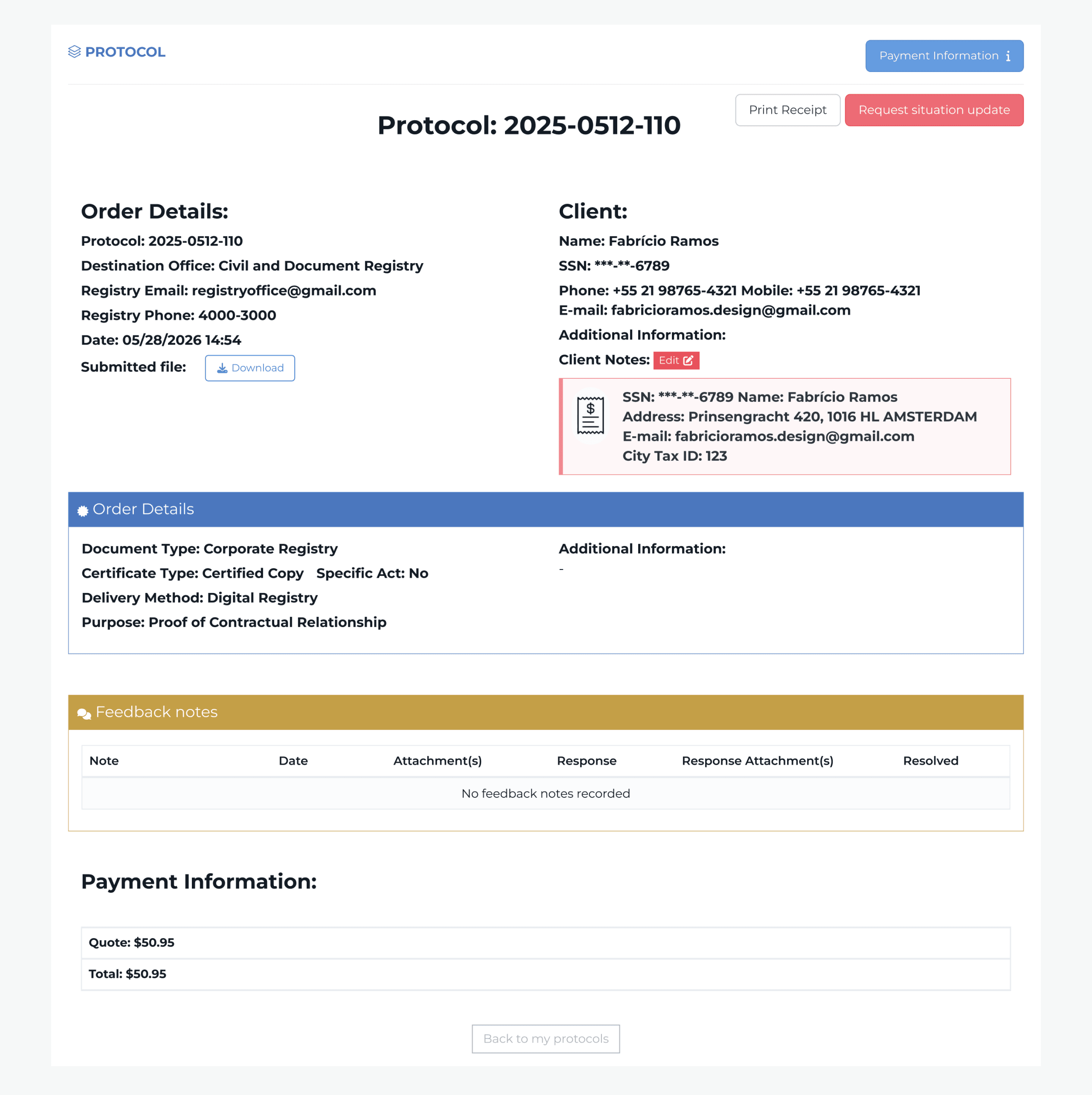
On the order details screen, we identified severe workflow and usability issues that created frustrating dead ends for the user. Although a 'Payment Information' button was prominently placed at the top, clicking it revealed no actionable path to complete the transaction. The same issue occurred in the billing section at the bottom of the page: despite displaying the total amount due, there was a complete absence of a Call to Action (CTA). This broken journey forced users into an exhausting backtracking loop, requiring them to return to the main list, relocate the specific order, and restart the checkout process from the table.
We identified the payment path as the most critical user flow for this phase. Besides being the first point of contact requiring customer action after order creation, this navigation route is essential for guiding users smoothly to the platform's main revenue source (the order payments).
4 clicks
1m 36s
“Are these values what I need to pay, or did I already pay?... Oh, I think this is where I’m supposed to pay.”

Test user
9 clicks
2m 19s
“I had trouble clearly finding which order I was supposed to pay for and figuring out how to make the payment.”

Test user
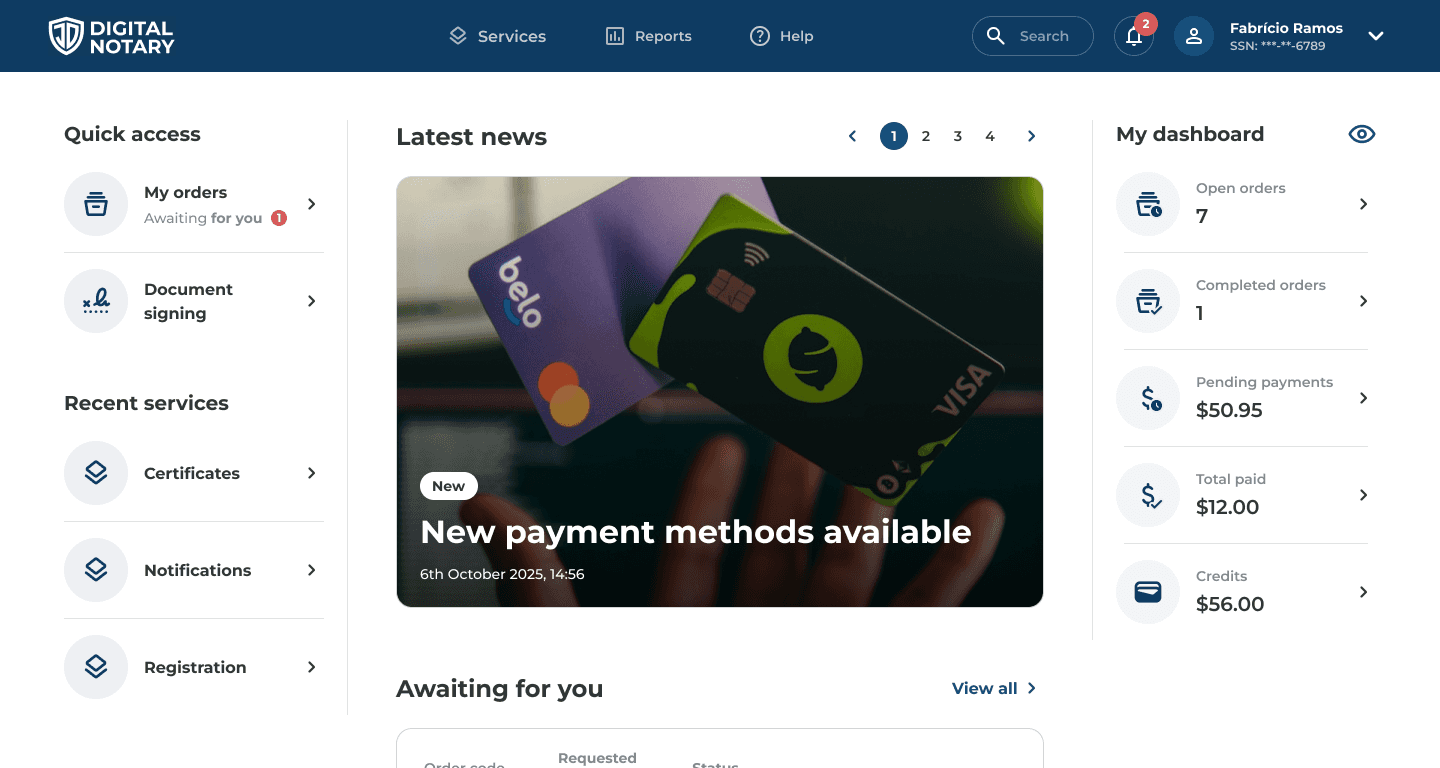
Initial home overview
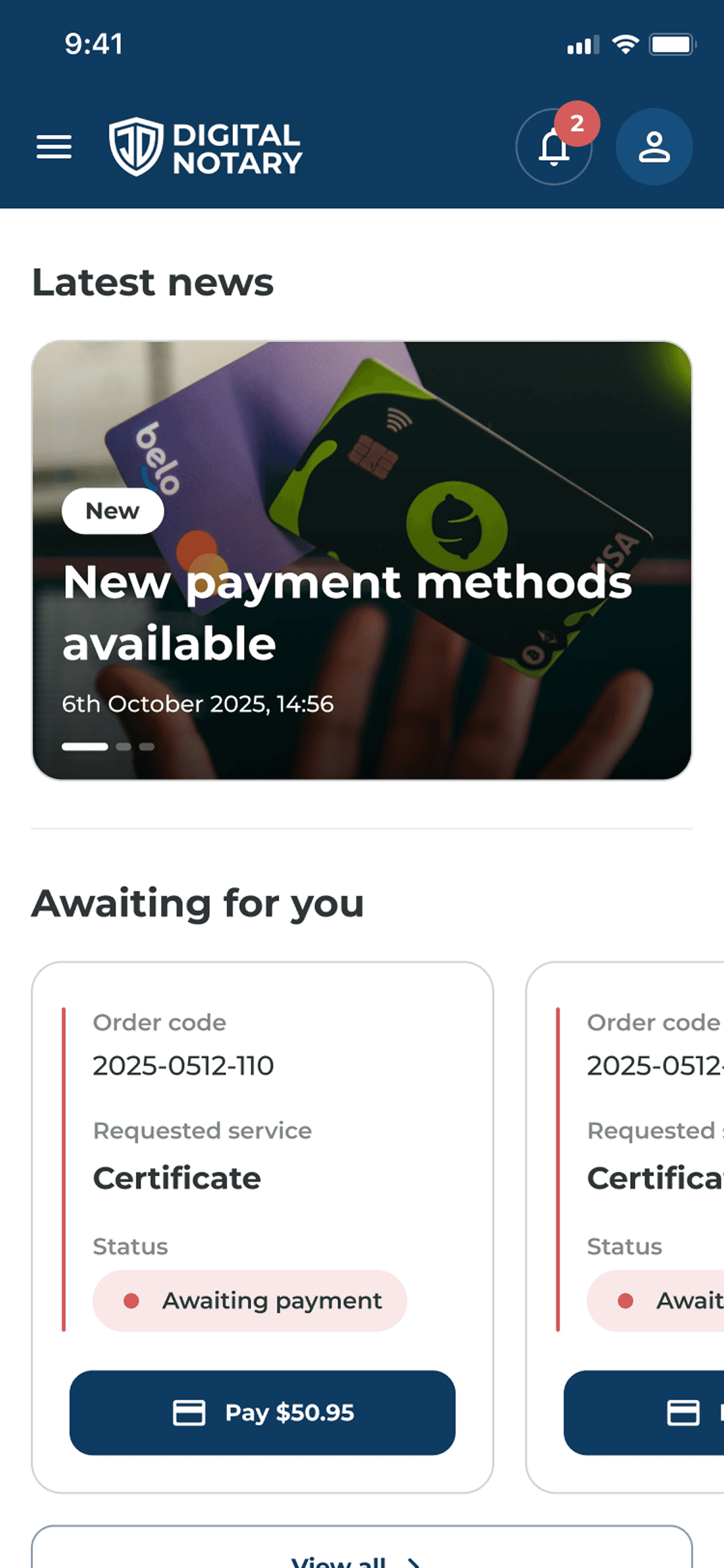
Upon authentication, users are greeted with a clean and organized interface, structured strictly around information hierarchy and relevance. System alerts and critical announcements serve as the primary focal point. Concurrently, the layout provides streamlined access to core platform features alongside a high-level dashboard summarizing active orders and financial data.
Home view after scroll
Right from the initial view, subtle visual cues indicate that additional content is available below the fold. Upon scrolling, users are presented with a curated list of recent orders requiring immediate attention. This clear prioritization removes any ambiguity about when to act, mitigating decision friction and significantly accelerating order processing and task completion.

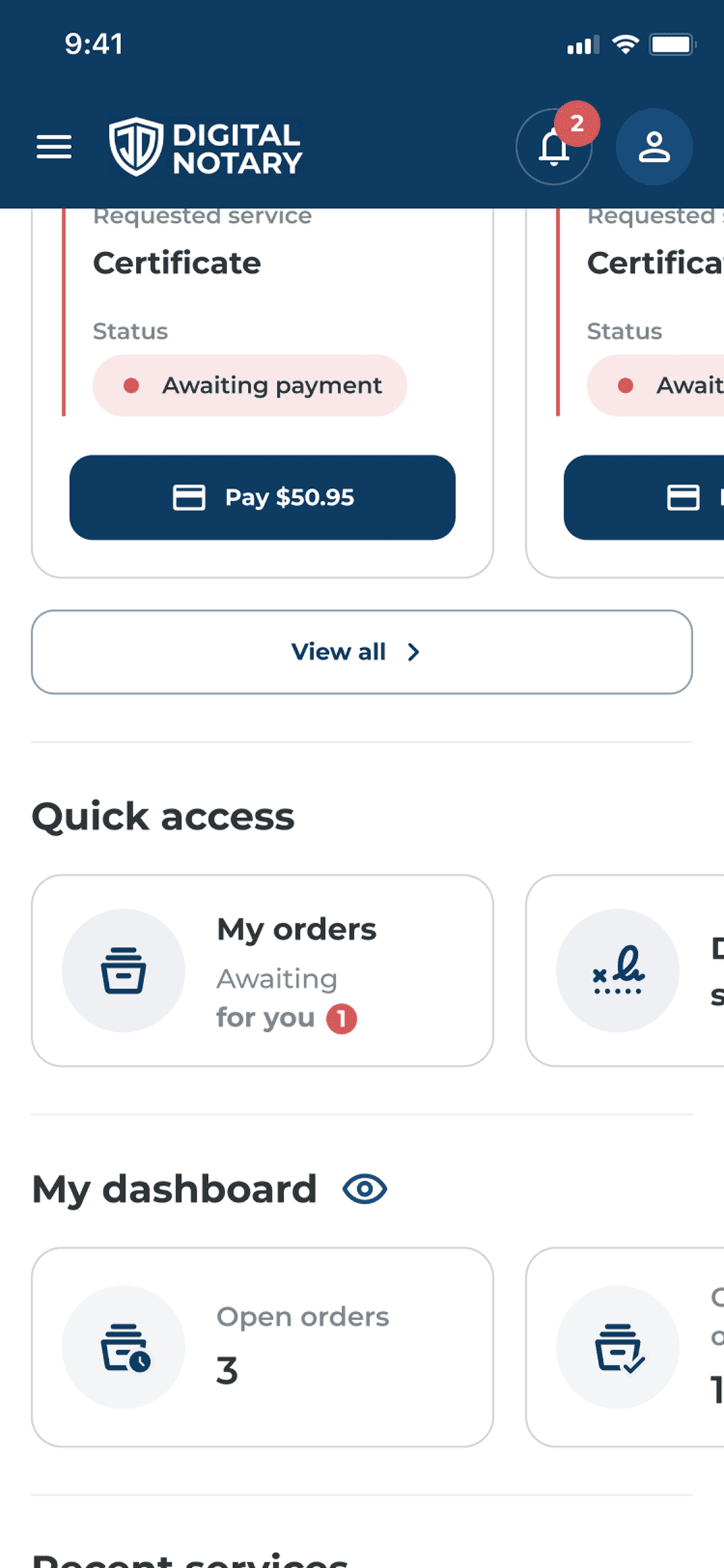
Payment entry points from the home page
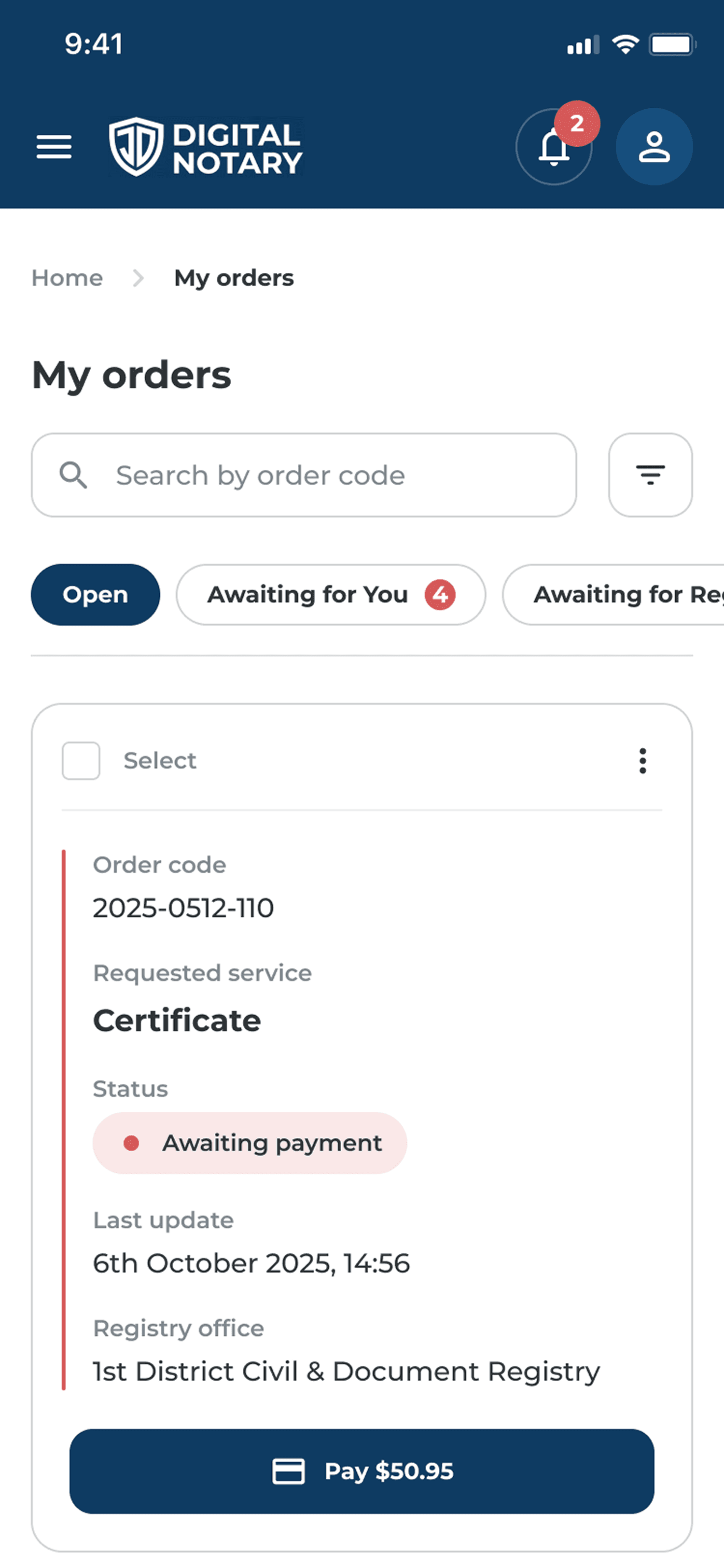
Users are intuitively guided by red notification badges, which act as visual anchors to signal urgency. Within the order status, a pulsing red indicator draws immediate attention, signaling that the workflow is currently blocked and requires the user's direct action to proceed. But, if the financial dashboard captures the user's initial focus, they can seamlessly access pending payments via a dedicated shortcut.

Upon accessing the order page, users find their requests organized by relevance. The first tab highlights all ongoing orders, while the second isolates tasks requiring immediate user action. Using visual indicators in red and pulsating status markers, pending actions are prominently displayed, reducing cognitive load and allowing for quick identification of pending items.
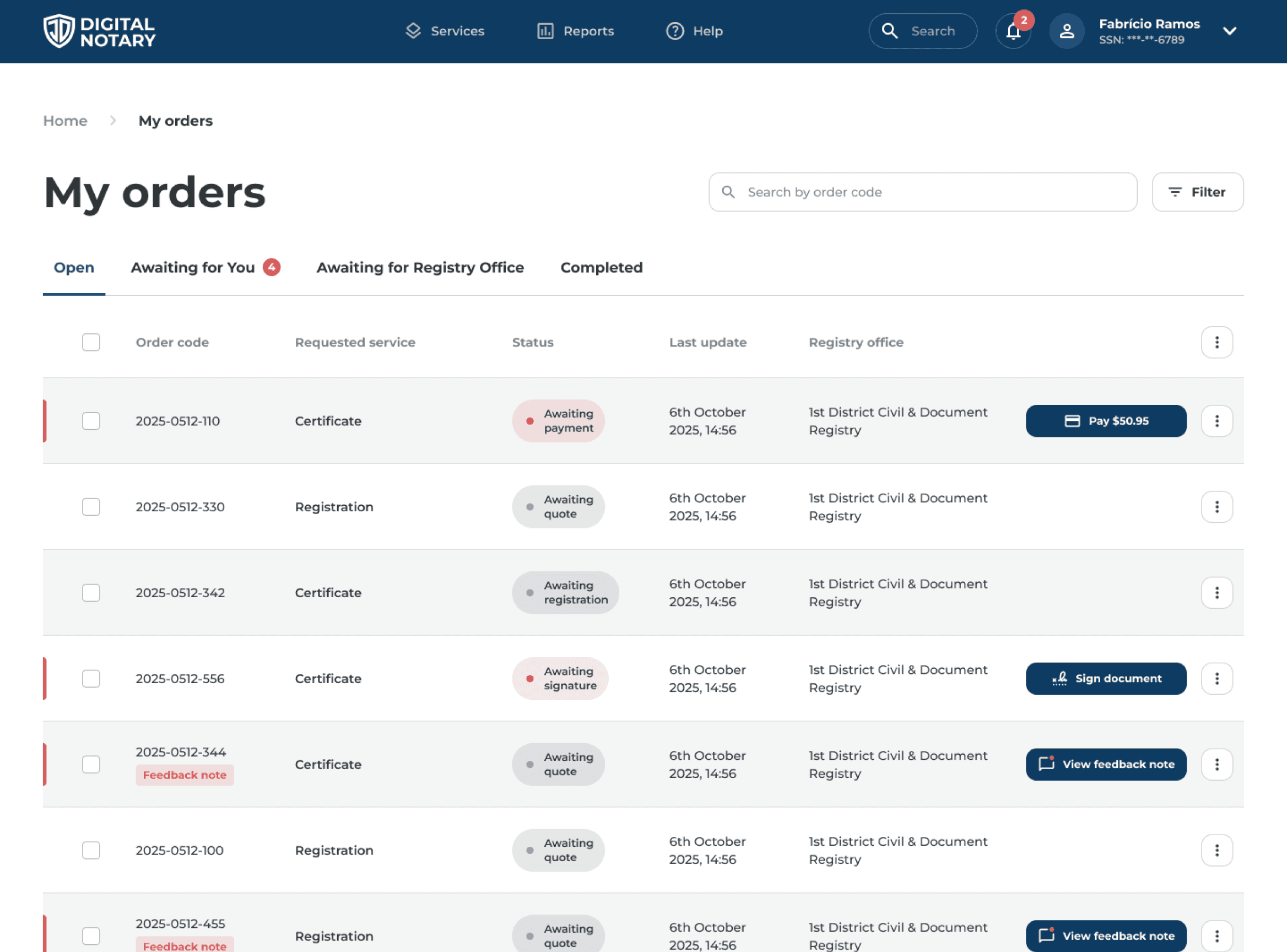
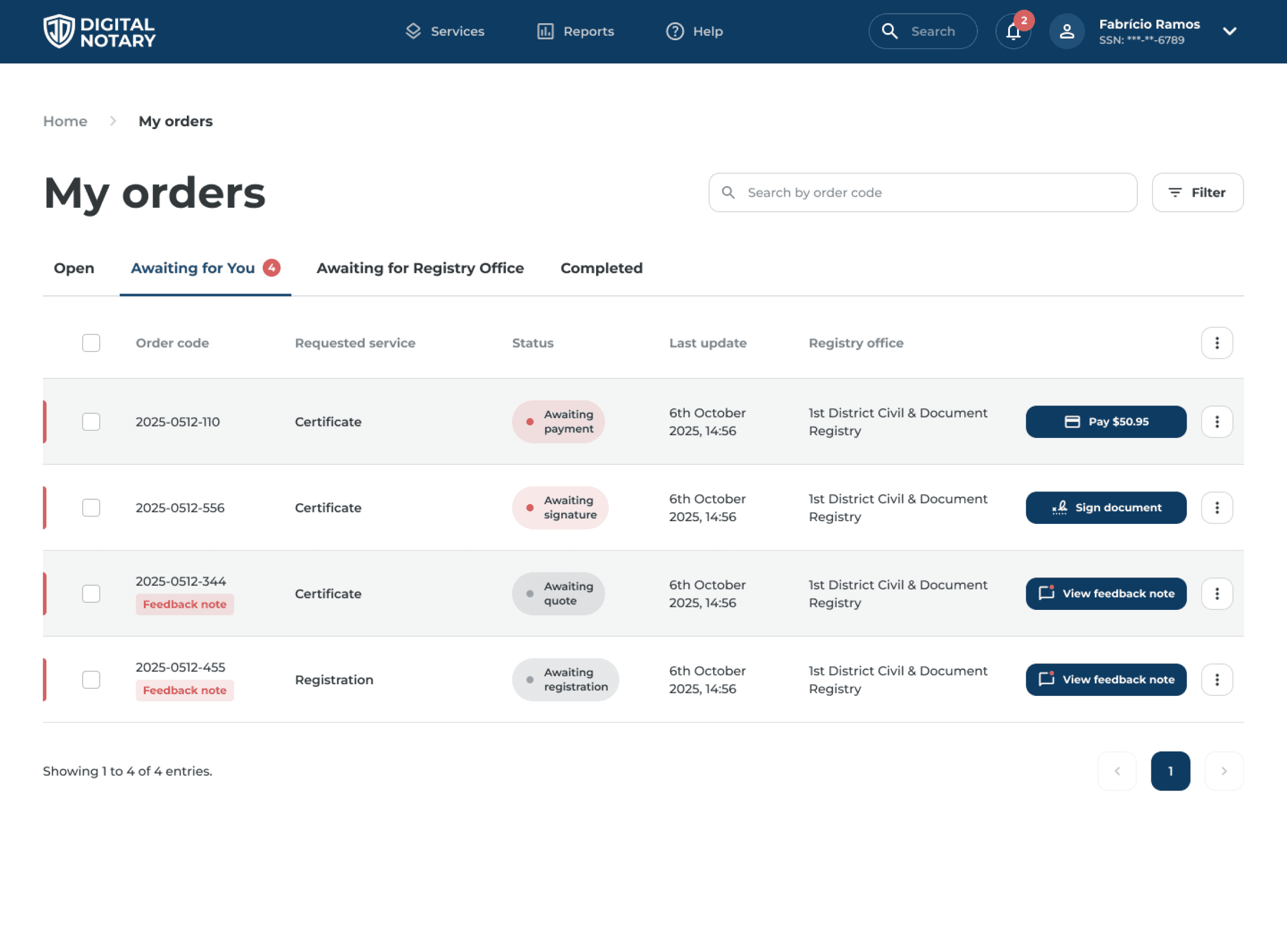
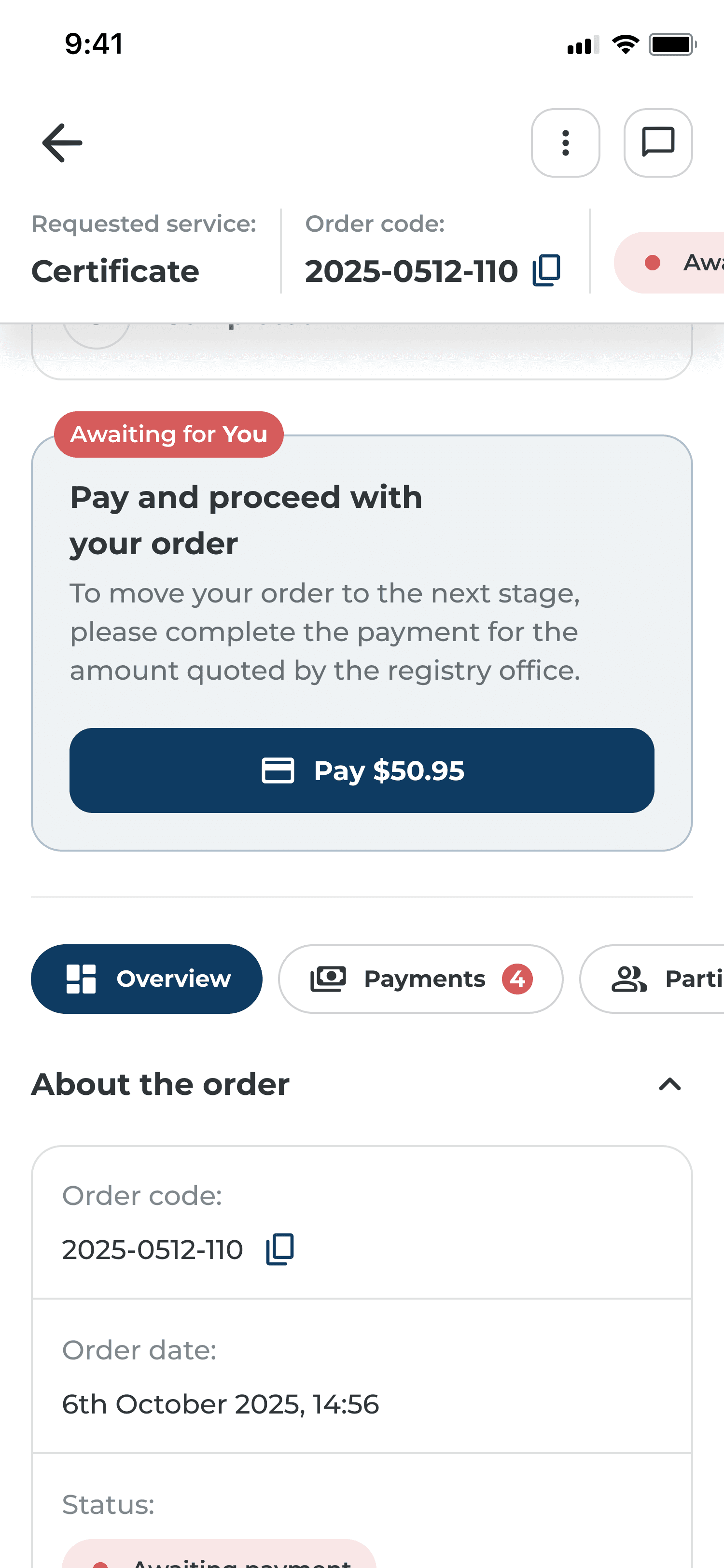
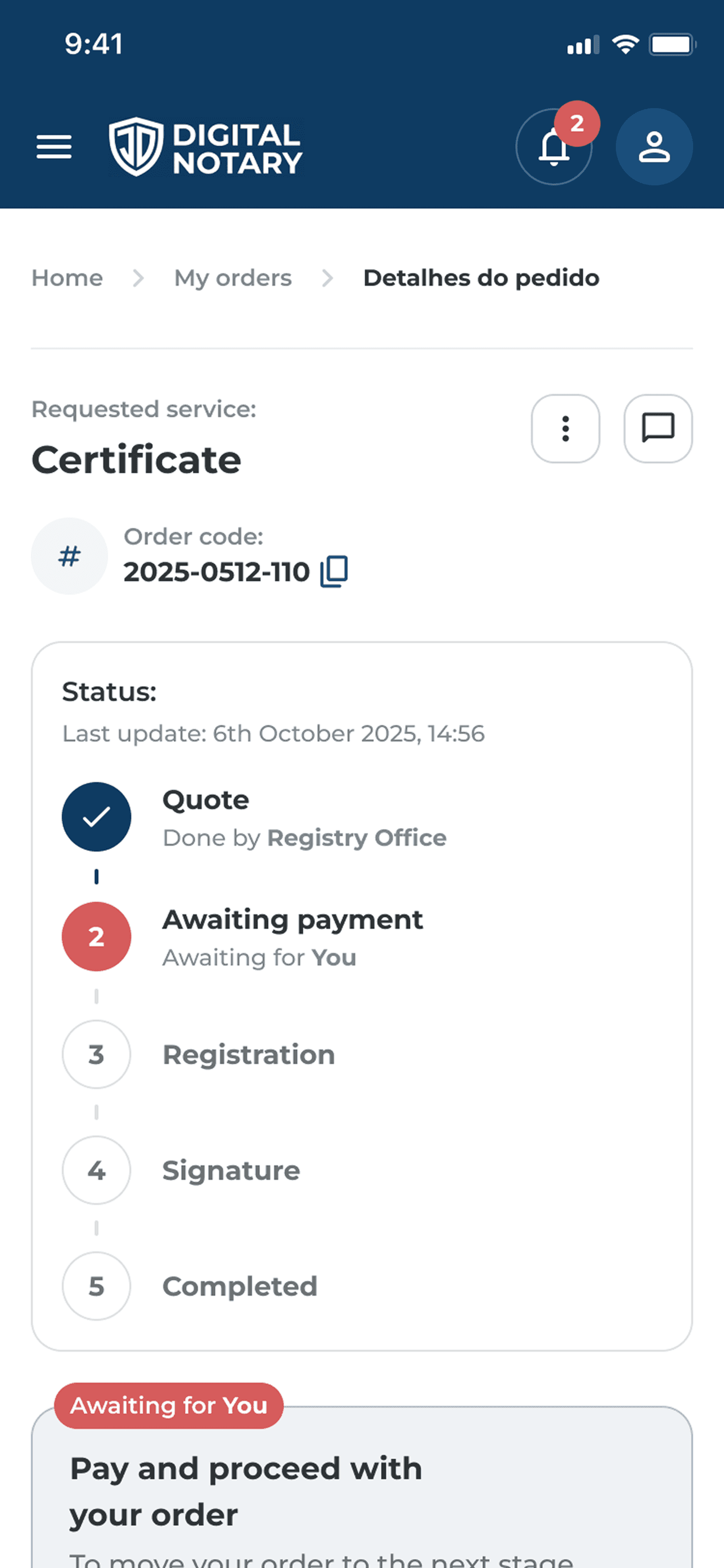
If a user needs to review their order details before paying, we highlight this pending task directly on the details page. We use red components to grab attention and make it clear that the next step depends on them, while also showing the upcoming stages to give them full transparency and control over the process. Directly below the status, a highlighted blue area is strategically placed to encourage the user to take the necessary action.

Status indicator and
progress tracker behavior
The status indicator pulses continuously as long as the order is awaiting user action. This behavior is applied consistently across all platform lists and within the order details view.
1 click
4s
“I found it very self-explanatory. The red badge with the number is super helpful because it shows exactly what is pending. It was clear where to click—same goes for the pulsing status dots.”

Test user
3 clicks
18s
“Very easy. I found it quite simple because 'pending payment' pops up right there, so I just clicked it.”

Test user
2 clicks
12s
“A clean screen layout.”

Test user


1 click
10s
“Very easy. As soon as I opened it, I immediately found the payment option.”
Test user
2 clicks
16s
“So easy, everything was extremely self-explanatory. It left no room for doubt.”
Test user
0s
20s
40s
60s
80s
100s
120s
140s
160s
Time to access order payment
Legacy Desktop
New Desktop
Mobile
(Average: Desktop)
(Combined average: Desktop + Mobile)
(Based on interface-related issues reported on public complaint platforms)
(Combined average: Desktop + Mobile | 400k real monthly visits)

Usability testing and in-depth interviews

Meeting audio recording and transcription

Layout and component development

Text review and research

Generating responsiveness ideas

Documentation of the usability tests performed